Sharper Headlines
Check keyword ideas before a draft exists, then tweak each title so it answers what a reader came to learn.

This gravitywrite guide shows how to connect your website, shape a brand profile and keyword plan, then move into writing, review and scheduling when it suits you.
Open the SEO content tool, add your site, and check the brand profile and suggested keywords before you commit to any article writing.
 Nearby searches
 How-to guides
 Product comparisons
 Editorial calendar
A sample workflow, not a product screenshot
Begin an editable brand profile.
Sort through the suggested terms.
Turn chosen terms into articles.
A single gravitywrite workflow for website articles
Every gravitywrite workflow begins with an editable brand profile and a keyword plan. From there, the SEO content tool drafts articles around the terms you pick and lines them up on a calendar for review. Rankings and traffic are never promised.
See the keyword plan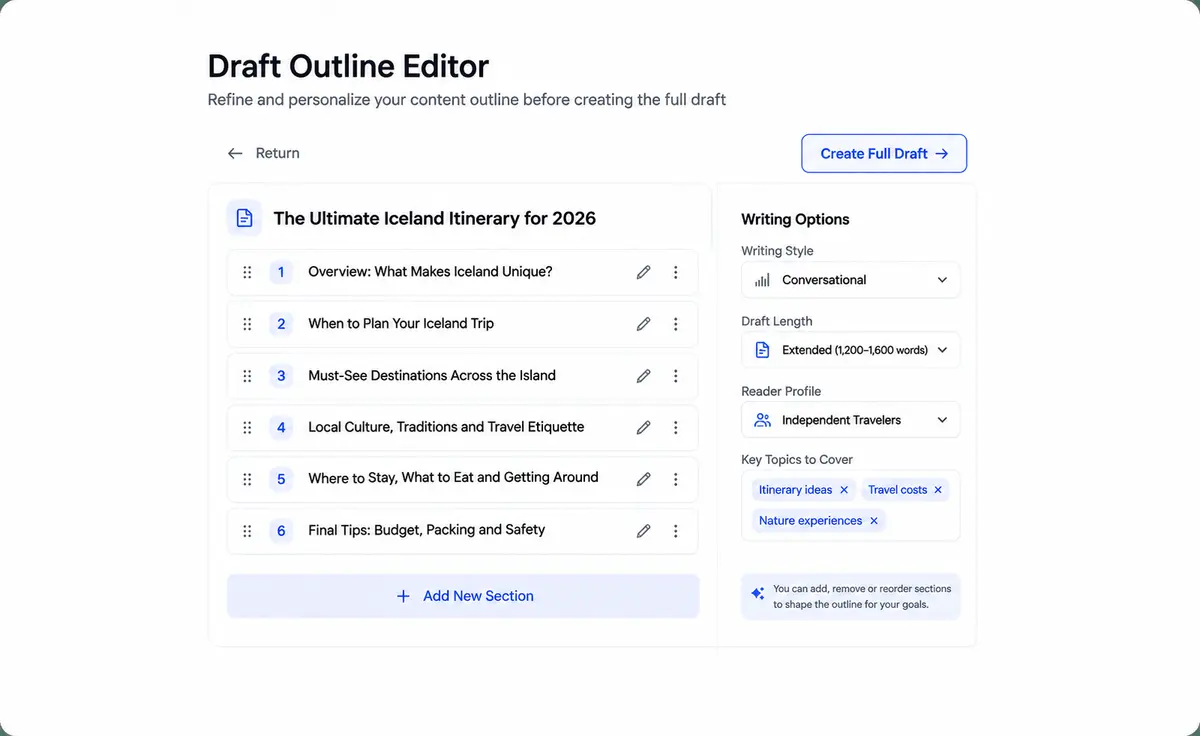
Check keyword ideas before a draft exists, then tweak each title so it answers what a reader came to learn.
Base each article on researched terms, then verify the content and on-page details yourself; no search position is guaranteed.

Drafts arrive in a tidy outline you can read, edit and schedule for the site you connected.

Add your website to the SEO content tool and review an editable brand profile plus suggested keywords. Keep the ideas that matter and send them to your gravitywrite article calendar.
Build my keyword planSample planning view · not real keyword data
Picking the right birthday cake
Buttercream or fondant?
Custom cakes near you
Real suggestions depend on the site you connect. Turning them into articles happens in the writing step.
A keyword plan maps what you could cover. The writing step turns selected terms into articles on a calendar, where you edit drafts, schedule them to a connected site, or export them as Markdown.
Open the calendarPick topics that suit your own site before any writing begins. The brand profile keeps each brief tied to your business.
Read drafts and decide when each one goes live. Auto-publishing stays off unless you switch it on for a supported connection.
Sample workflow; these cards are not a real customer account or publishing outcome.
✦ From keyword ideas to a full calendar ✦
Rather than a sprawling content studio, this gravitywrite walkthrough sticks to website SEO: learn your brand, plan keywords, write articles, and schedule reviewed posts to a connected site.
Begin the walkthroughA plan you can inspect before writing anything, then article drafting and scheduling. Use a site you own; there is no image, video, social, logo or site builder here.
Create your planConnect your site and check the business details used to plan upcoming articles.
Weigh suggested search terms before deciding which topics suit your business.
Drafts are written around the keywords you select, ready for your review.
Read and adjust every generated draft before it reaches your website.
Track drafted, queued and live articles for your site in one place.
Link a supported platform, then publish manually or switch on automation.
Begin with a brand profile and keyword plan. Article writing and scheduling form a separate step of the gravitywrite workflow, not an all-in-one studio.
See which topics might suit the website you connected.
Turn chosen keyword topics into drafts for your own site.
Arrange SEO articles on a calendar once drafts are ready.
No borrowed reviews or star ratings: just product steps to judge for yourself.
Check an editable brand profile built from the site you connect, the first gravitywrite step.
Look through suggestions and keep only topics that match your business.
Generate drafts, review them and arrange when they appear on your site.
You can edit the brand profile and keep or dismiss each suggested keyword. Turning the plan into articles happens in the separate writing step.
No. The plan covers the brand profile and keyword ideas; article writing and scheduling are handled in the writing step of the SEO content tool.
No. It helps you plan keywords and write SEO-focused articles, but rankings depend on many outside factors. Check facts and quality before you publish.
Yes. Drafts can be reviewed and edited before you schedule or publish them to a supported site. Automation stays optional.
No. This is an independent gravitywrite guide; buttons open a separate SEO content tool where you control your own site connection and data.
Begin with the SEO content tool's brand profile and keyword plan. Move to article writing whenever you're ready; your site and editorial calls stay with you.
Plan my keywords